
Road Trip Planner Apps: What Really Works

Let’s get one thing straight: your phone’s default map application isn’t a road trip planner. It’s a navigation tool, a glorified GPS. People think they can just punch in multiple stops and call it a day. That’s a rookie mistake. A real road trip is more than just getting from A to B; it’s about the journey, the detours, the unexpected, and critically, the planning.
You need dedicated software for that. Something that understands multiple destinations, points of interest, fuel stops, lodging, time estimates, and even your budget. Trying to wrangle all that with Google Maps is like trying to build a house with a butter knife. It’s clunky, frustrating, and you’ll miss half the good stuff. Stop wasting time with inadequate tools.
Stop Relying on Google Maps Alone. Seriously.
Most travelers hit the road, open Google Maps, and start adding destinations. It works for a quick run across town or a single-day journey with a couple of stops. Beyond that, it quickly falls apart. Google Maps wasn’t built for intricate, multi-day itineraries that require serious foresight.
It can handle about ten stops before it starts complaining, and even then, reordering those stops or optimizing them for efficiency is a manual, painful process. You won’t find integrated budget tracking, no smart suggestions for quirky roadside attractions, and forget about collaborative planning with travel companions. It’s a point-to-point navigator, not a comprehensive trip architect. For anything more than a straightforward drive, you need to upgrade your tools.
Why Google Maps Fails Multi-Day Trips
A multi-day road trip isn’t just a long drive. It involves overnight stays, variable driving times, specific opening hours for attractions, and often, a need to conserve funds. Google Maps offers no native way to factor in these crucial elements. You’re left juggling separate apps for hotels, gas prices, and attractions, then manually inputting those details into a map that struggles with complex routes.
What about finding hidden gems? Google Maps shows popular spots, sure, but it lacks the curated databases of truly interesting, off-the-beaten-path destinations that make a road trip memorable. You end up on major highways, missing the local flavor.
The Essential Gap: Planning vs. Navigation
Navigation is about following directions. Planning is about making intelligent decisions about those directions before you even leave. A dedicated road trip planner app helps you visualize the entire journey, calculate distances between points of interest, identify potential roadblocks (literal and metaphorical), and distribute your time effectively. It’s the difference between blindly following a path and intentionally crafting an experience.
These apps let you drag-and-drop stops, view estimated costs, and even suggest points based on your preferences. Google Maps just gets you there. A planner ensures the ‘getting there’ is half the fun, and you actually see what you want to see.
The Best All-Around Planner: Roadtrippers
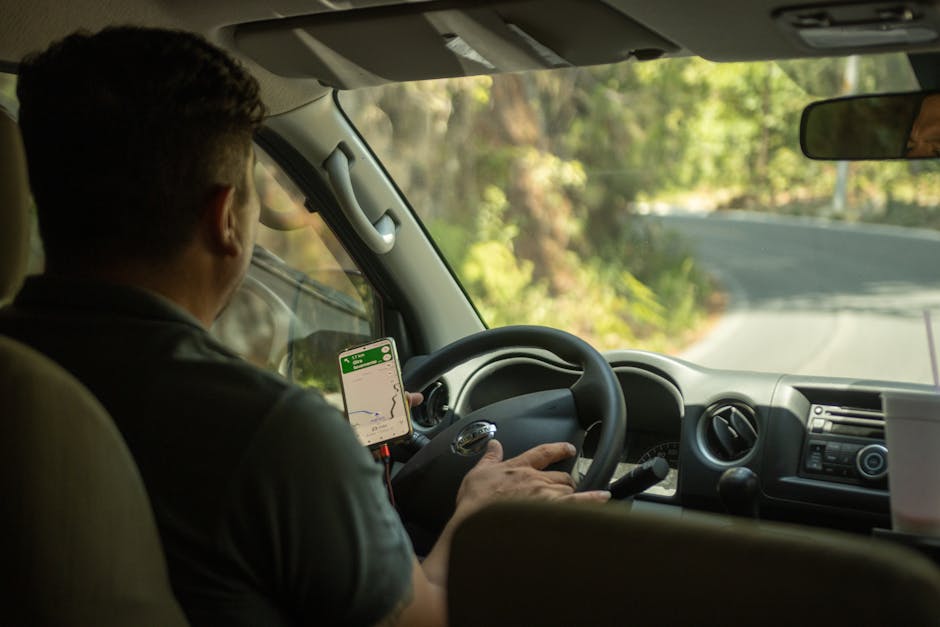
If you’re looking for an app that genuinely excels at road trip planning for the average traveler, Roadtrippers is your winner. It’s not perfect, no app is, but it comes closest to being the complete package for most people. The interface is intuitive, making it easy to plot a multi-day journey without wanting to throw your phone out the window.
What sets Roadtrippers apart is its massive, curated database of points of interest. We’re talking national parks, historical sites, quirky roadside attractions, scenic points, restaurants, and hotels. It’s designed to help you discover the things that make a road trip an adventure, not just a commute. You can collaborate on trips, share itineraries, and find suggestions based on categories like “Offbeat & Unique” or “Outdoors & Recreation.”
Unmatched POI Discovery
Roadtrippers genuinely shines when it comes to finding places to stop. You don’t just get a list of gas stations; you get suggestions for abandoned towns, the world’s largest ball of twine, scenic overlooks you never knew existed, or locally-loved diners. Its search filters are robust, allowing you to narrow down options by category, ensuring you find exactly what sparks your interest. This discovery aspect is for making a road trip genuinely unique and memorable.
The app pulls from various sources, and its community-driven updates ensure that the information is generally current. You can read reviews, see photos, and get practical details like opening hours directly within the app, streamlining your research process considerably.
Roadtrippers Plus: Is It Worth It?
The free version of Roadtrippers limits you to five stops per trip, which is fine for a short weekend getaway but quickly becomes insufficient for longer journeys. Roadtrippers Plus, priced at around $29.99 per year, unlocks unlimited stops, offline maps, live traffic updates, custom vehicle routing (great for RVs or those with trailers), and exclusive deals.
For anyone serious about road tripping, the Plus subscription is practically mandatory. The offline maps alone are worth the price of admission, considering how many dead zones you’ll encounter on scenic routes. The ability to plan extensive routes without limitations and get real-time traffic information makes the investment a no-brainer for frequent travelers.
For Budget-Conscious Travelers: How to Cut Costs on the Road
Road trips can get expensive, fast. Fuel, food, lodging, and activities add up. But with smart planning, you can significantly reduce your outlay without sacrificing the fun. It’s about being strategic with your resources and knowing where to save a buck.
The biggest expenses are usually fuel and accommodation. Food comes next. By tackling these three areas proactively, you can free up funds for experiences or simply keep more money in your pocket. Don’t be fooled into thinking a cheap trip means a bad trip; often, it means a more authentic one.
Fueling Up Smart: Apps & Strategies
Fuel is often the largest variable cost. Don’t just pull into the first gas station you see. Apps like GasBuddy are indispensable here. They crowdsource gas prices in real-time, helping you find the cheapest fuel along your route or at your destination. A few cents difference per gallon adds up significantly over thousands of miles.
Beyond apps, strategy matters. Fill up in towns, not on isolated highway stretches where prices are usually inflated. Consider loyalty programs from major gas station chains. Drive efficiently: avoid rapid acceleration and braking, maintain a steady speed, and remove unnecessary weight from your car. These small habits collectively yield big savings.
Lodging Alternatives That Save Money
Hotels can bust any budget. Look for alternatives. Camping is the obvious choice, offering significant savings and a unique experience, especially in national or state parks. Websites like Hipcamp or Recreation.gov can help you find campsites, from primitive to full hookup. If camping isn’t your style, consider hostels, which offer private rooms alongside dorms, or even Airbnb, especially for longer stays where cooking facilities can save on dining out.
Another option is house-sitting or staying with friends and family along your route. These approaches require more pre-planning but can reduce accommodation costs to zero. Don’t overlook budget motel chains either; sometimes a clean, basic room is all you need for a good night’s sleep.
Free Fun: Activities That Don’t Break the Bank
Not every attraction needs an entry fee. National parks often have free days, and many state parks are affordable or free. Seek out natural wonders: hiking trails, scenic drives, beaches, and public gardens. Small towns often have free museums, historical markers, or unique public art installations. Roadside attractions, as popularized by Roadtrippers, are frequently free and offer fantastic photo opportunities.
Picnics in scenic spots are cheaper and more enjoyable than restaurant meals. Look for free local events, farmers’ markets, or community festivals. A good road trip is about immersion, and often, the best immersion comes from experiencing local life without a price tag.
Detailed Route Optimization: Furkot vs. RV Trip Wizard

When your planning needs go beyond simple discovery and into meticulous detail, two apps stand out: Furkot and RV Trip Wizard. They cater to different, but equally demanding, types of travelers. Both offer advanced route customization, but their specific strengths are distinct.
Furkot is for the obsessive planner, the one who wants to control every minute detail, down to specific times at each stop and precise fuel consumption. RV Trip Wizard, as its name implies, is purpose-built for the unique challenges of RV travel, from low bridge clearances to finding dump stations. You won’t find a one-size-fits-all here; it’s about matching the tool to your specific needs.
| Feature | Furkot | RV Trip Wizard |
|---|---|---|
| Target Audience | Meticulous planners, multi-stop complex routes, budgeters | RVers, large vehicle navigation, campground discovery |
| Route Customization | Extremely detailed, time-based stops, budget tracking, weather integration | RV-specific routing (low clearances, propane restrictions), fuel stops, campgrounds |
| POI Database | Extensive, user-contributed, general attractions | RV-centric: campgrounds, dump stations, service centers, overnight parking |
| Offline Access | Yes, via GPX export | Yes, with premium subscription |
| Pricing | Free (limited features), Paid (yearly subscription, ~$29) | Yearly subscription (~$49/year, often bundled with RVLIFE) |
| Ease of Use | Steeper learning curve due to depth of features | Relatively easy for RVers, tailored interface |
Furkot: The Planner’s Planner
Furkot is not pretty, but it’s powerful. It allows you to plan trips day-by-day, setting specific departure and arrival times, and even accounting for time spent at each stop. You can input your average speed, fuel consumption, and vehicle type to get incredibly accurate time and cost estimates. It even integrates weather forecasts into your route, helping you plan around bad conditions.
If you’re mapping a cross-country journey with specific deadlines, or if you need to adhere to a strict budget, Furkot’s analytical capabilities are unmatched. It’s less about discovery and more about execution. It exports to various GPS formats, making it compatible with dedicated navigation devices, a huge plus for those who prefer not to rely solely on their phone.
RV Trip Wizard: The RVer’s Must-Have
For anyone traveling in an RV, RV Trip Wizard is an essential tool. Standard navigation apps don’t understand bridge heights, road restrictions for large vehicles, or where to find a reliable dump station. RV Trip Wizard does.
It filters routes to avoid roads unsuitable for RVs and integrates seamlessly with a massive database of RV parks and campgrounds. You can see reviews, amenities, and even book directly from the app. Fuel stop planning is optimized for diesel or gas, and it considers tank size and range. If you drive an RV, this isn’t just an app; it’s practically a safety and convenience necessity.
Offline Access and Safety Features: What You Need
When you’re out on the open road, especially in national parks or remote areas, cell service is often non-existent. Relying solely on a live internet connection for your route is a recipe for disaster. This is where robust offline capabilities become absolutely critical. Any serious road trip planner app should offer reliable offline maps and features that keep you safe, even when you’re off the grid.
Beyond just navigation, consider what happens if you break down or encounter an emergency in a dead zone. The best apps and supplementary tools anticipate these scenarios, providing a layer of security that standard mapping services simply can’t.
- Offline Maps: This isn’t optional. You need the ability to download entire regions or states to your device. This ensures continuous navigation, even when your phone has no signal. Make sure the downloaded maps include detailed road networks and points of interest.
- Pre-Downloaded POI Data: What good are offline maps if you can’t search for nearby gas stations or hospitals without internet? Ensure your chosen app’s offline functionality extends to its points of interest database.
- SOS/Emergency Features: Some apps integrate with emergency services or allow you to share your real-time location with designated contacts, even if it’s via limited satellite communication devices (which you should consider carrying).
- Roadside Assistance Integration: While less common, some premium apps or linked services offer direct access to roadside assistance, which is invaluable when stranded. Check if your vehicle insurance or a separate membership provides this.
- Weather Alerts & Overlays: Knowing about impending storms, high winds, or road closures *before* you lose service can be a lifesaver. Offline apps should ideally store basic weather patterns or allow pre-trip download of forecasts.
- Route Re-calculation (Offline): If you miss a turn or deviate from your planned route while offline, the app should be able to recalculate your path using the downloaded maps, without needing to reconnect to the internet.
Why Offline Maps Are Non-Negotiable
Imagine being deep in the wilderness, miles from the nearest town, and suddenly your GPS loses signal. Without offline maps, you’re looking at a blank screen and a whole lot of guesswork. This isn’t just an inconvenience; it’s a safety hazard. Reliable offline maps mean you always know where you are and where you’re going, regardless of cellular coverage.
They also save on data usage, which can be a significant benefit for international travelers or those with limited data plans. Download the maps at home, on Wi-Fi, and hit the road with confidence.
Beyond Navigation: Safety on the Road
A good road trip app should offer more than just directions. It should contribute to your overall safety. Features like speed limit warnings, real-time traffic (when online), and even notifications about sharp curves can prevent accidents. But true safety goes into emergency preparedness. Consider supplementary devices like a Garmin inReach Mini 2 or a Zoleo Satellite Communicator for true off-grid emergency communication. No app can replace these, but a good app can integrate with your safety plan.
Don’t Forget These Essentials Before You Go

Planning the route is only part of the equation. Before your wheels even hit the pavement, you need to ensure your vehicle is ready, your documents are in order, and you have basic emergency supplies. Skip this step at your peril; it’s the fastest way to turn a dream trip into a nightmare. A well-prepared traveler avoids most common road trip pitfalls.
The Underdog You Might Miss: Sygic GPS Navigation & Maps
While Roadtrippers covers the discovery and planning, and specialized apps like Furkot and RV Trip Wizard handle the niche needs, Sygic GPS Navigation & Maps is a powerful underdog, especially for those prioritizing robust offline navigation and a one-time purchase model. It’s often overlooked because it’s a paid app from the get-go, but the value is undeniable for specific use cases.
Sygic uses TomTom maps, which are renowned for their accuracy and detail globally. Its core strength lies in its comprehensive offline map downloads. You can download entire continents or countries, making it ideal for international road trips where data roaming costs are a concern. It provides excellent voice guidance, clear visuals, and often includes features like speed camera warnings, parking information, and even real-time traffic (with a premium add-on). Think of it as a premium, feature-rich GPS device, but on your phone.
Global Offline Maps for True Freedom
Sygic’s biggest selling point is its truly global offline map availability. Traveling across Europe, through South America, or venturing into remote parts of Australia? Sygic has you covered. You download the maps once, and you’re set. This eliminates any reliance on data plans or spotty Wi-Fi, providing unparalleled freedom and peace of mind when exploring unfamiliar territories.
The maps are updated regularly, ensuring you have the most current road information. This level of comprehensive offline capability is crucial for adventurous travelers who stray far from urban centers and reliable cellular networks.
Lifetime Licenses: A Smart Investment?
Unlike many subscription-based apps, Sygic often offers lifetime licenses for its premium features. While the initial cost might be higher than a yearly subscription, it quickly pays for itself if you’re a frequent traveler. No recurring fees, just continuous access to premium navigation. This makes it a smart, long-term investment for those who prefer to buy once and own forever.
The lifetime license typically includes map updates and core features, making it a highly cost-effective solution in the long run. It’s a refreshing change in a market dominated by endless subscriptions.
Stop overthinking it and just pick a planner that fits your trip.






0